Quad Equalizer Explained: Four Bands, Four Channels, and Four Data Lanes
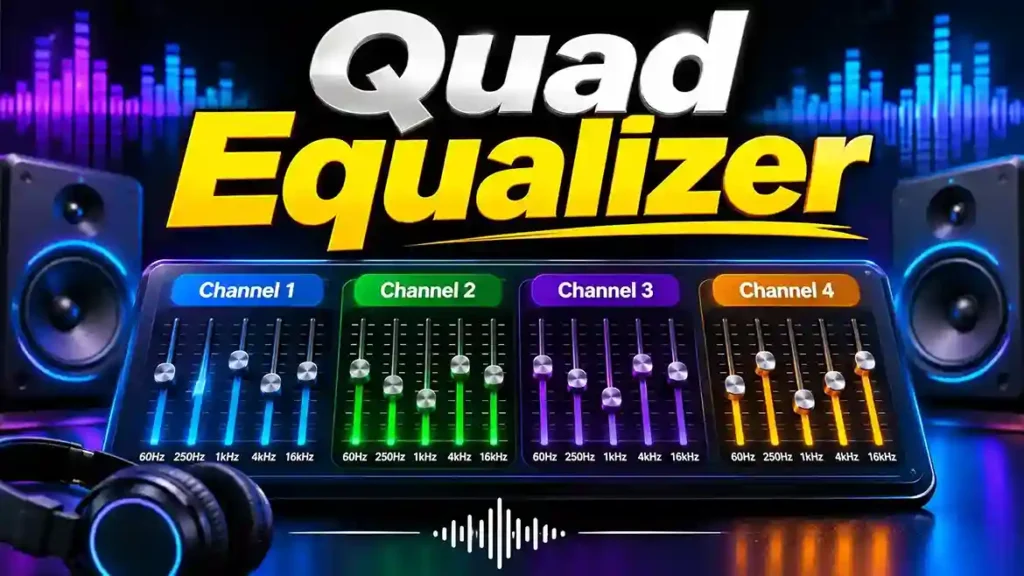
TL;DR: A quad equalizer is an equalizer built around the number four. It can mean four tone bands, four separate audio channels, or four lanes of high-speed data. Check the spec sheet before you buy, because the same name covers three different jobs.
You search for a quad equalizer and get three different answers. One page talks about bass and treble knobs. Another shows a rack unit with four channels. A third describes a tiny chip inside a video cable.
All three are correct. This guide sorts them out, shows you how each type works, and helps you pick the right one.
In this guide
- What “quad” means in audio and in electronics
- How equalization works: frequency, gain, and bandwidth
- The four classic tone bands and what each one does
- Real products: Mackie, Lake, Radial, and a Texas Instruments chip
- How to adjust one, and the mistakes to skip
What Is a Quad Equalizer?
Definition: A quad equalizer is an equalizer with four of something: four adjustable frequency bands, four independent signal channels, or four data lanes.
Manufacturers don’t follow one standard. Each uses “quad” the way it fits the product.
| Meaning | What you get | Typical field |
| Four bands | Four tone controls on one signal | Home audio, studio modules |
| Four channels | Four separate signals, each with its own EQ | Live sound, venues, broadcast |
| Four data lanes | Four high-speed digital paths with signal correction | Electronics and video links |
Treat the product documentation as the final word. A name alone won’t tell you which design you’re holding.
How Does a Quad Equalizer Work?
Every equalizer does one thing: it changes how strong certain frequencies are. In audio, boosting a range makes it louder in the mix. Cutting a range makes it quieter.
That simple move fixes real problems. A cut around the low-mids can clear a muddy voice. A small lift in the highs can brighten a dull recording.
Electronics use the same idea for a different goal. Signals traveling through cables lose some frequencies faster than others, and an equalizer restores the balance so the receiver can read the data. Audio EQ shapes what you hear. Signal EQ protects what a circuit reads.
What Do Frequency, Gain, and Bandwidth Mean?
Three controls appear on almost every audio equalizer, so learn them once.
- Frequency is the pitch region you adjust, measured in hertz (Hz). Low numbers are bass. High numbers are treble.
- Gain is how much you boost or cut, measured in decibels (dB).
- Bandwidth, or Q, is how wide the change reaches into neighboring frequencies.
Simple EQs fix the frequency and give you only gain. Parametric EQs let you set all three. That’s why parametric designs feel precise and four-band knobs feel quick.
Four Bands or Four Channels: Which One Do You Have?
This question causes most buying mistakes, so check it first.
A four-band EQ splits one signal into four zones, such as low, low-mid, high-mid, and high. Radial Engineering’s Q4 is a good example. It’s a four-band module for the 500 series format.
A four-channel EQ handles four separate signals. The Mackie Quad EQ gives you four channels, and each channel carries its own 30-band graphic equalizer. You can tune a main speaker, a side fill, and two monitors independently.
Ask one question: “Four of what?” The answer tells you what the box does.
What Do the Four Main Audio Frequency Ranges Do?
A four-band EQ covers the sound spectrum in four broad slices. Exact boundaries change from model to model, so treat the ranges below as a guide, not a rule.
| Range | Rough location | What it controls | Too much sounds like |
| Low | Bass region, below about 250 Hz | Weight, punch, depth | Boomy, muddy |
| Low-mid | Lower midrange | Body and warmth | Boxy, congested |
| High-mid | Upper midrange | Presence and clarity | Harsh, tiring |
| High | Treble region | Air, sparkle, detail | Sharp, hissy |
Low Frequencies
Low frequencies give music its weight. Kick drums, bass guitars, and movie rumbles live here. Boost them and small speakers feel bigger, but boost too much and the sound turns boomy and eats your headroom.
Low-Mid Frequencies
This range holds the warmth of voices and instruments. Too much of it makes a mix feel crowded and boxy. A gentle cut often separates instruments that fight for the same space.
High-Mid Frequencies
Here you find the clarity of speech and the bite of guitars. A small lift can make a voice step forward. A big lift can make listening tiring within minutes.
High Frequencies
The top end adds air and detail, like cymbal shimmer. A touch of boost opens up a dull track. EQ can’t invent detail that the recording never captured, so don’t chase it.
Where Do People Use These EQs in Audio?
Because the term covers several designs, uses vary. Here are the most common ones.
Music and home listening. A four-band EQ lets you tame bass on small speakers or soften harsh highs on bright headphones. Start flat, make small moves, and compare with the original.
Voice and podcasting. A small cut in the low end reduces rumble, and a light lift in the upper mids helps speech cut through. Good microphone technique matters more than any EQ setting.
Gaming and movies. EQ changes how loud dialogue, footsteps, or explosions feel. It doesn’t create positional audio, which depends on the game engine and hardware.
Studio work. A four-band module adds polish to individual tracks. Radial describes the Q4 as useful for adding top-end sparkle to voices or cutting mids to help tracks blend.
Live sound and venues. A four-channel unit shines here, because each speaker or zone needs different tuning. More on that next.
How Does a Four-Channel Unit Help in Live Sound?
Live rooms are messy. Speakers sit in different places, walls bounce sound around, and microphones feed it back. A four-channel unit lets you fix each feed on its own.
Lake Technology designed its Mesa Quad EQ as a 4×4 digital matrix processor for this kind of work. Every channel has analog and AES/EBU digital connections, shelving and parametric filters, and routing that sends any input to any output. Lake aims it at concert sound, recording, mastering, and broadcast.
The Mackie Quad EQ takes a more visual route. A real-time analyzer (RTA) shows your system’s response, a built-in pink-noise generator provides a test signal, and 99 snapshots store your settings for the next gig.
Loud tuning sessions carry a hearing risk, so protect yourself. The CDC’s NIOSH recommends limiting exposure to 85 A-weighted decibels over an eight-hour shift. Read NIOSH’s noise exposure guidance for the 3 dB exchange rate, which means each 3 dB increase halves the safe listening time.
What Is a Quad Equalizer in High-Speed Electronics?
Now for the third meaning, which has nothing to do with bass or treble. In electronics, it’s a chip that conditions four high-speed data channels.
Here’s the problem it solves. A fast digital signal loses strength as it moves along a cable or a circuit-board trace, and the loss isn’t even across frequencies. By the time the signal reaches the receiver, its edges look rounded and smeared. The receiver then struggles to tell a one from a zero.
The equalizer boosts the weak parts of the signal to rebuild its shape. That’s compensation, not sound shaping.
How Does Digital Signal Equalization Help?
Think of it as reversing the damage the cable did. The chip applies a correction that matches the channel’s losses, so the receiver sees a cleaner signal.
The right correction depends on four things:
- Data rate. Faster signals lose more at high frequencies.
- Transmission medium. Cables and board traces behave differently.
- Trace or cable length. Longer paths lose more.
- Chip capability. Different parts offer different compensation levels.
Many chips let designers pick from preset equalization levels. Even so, an equalizer can’t fix a poor layout, bad connectors, or a noisy clock. It works best as one part of a well-designed link.
What Is a Real Example of a Four-Channel Signal Equalizer?
Texas Instruments makes the DS32EV400, which it calls a DisplayPort quad equalizer. The TI product page lists four data channels, a top speed of 3.2 Gbps, and eight programmable equalization levels per channel. It handles up to 14 dB of loss at 3.2 Gbps.
TI also states that the chip works over 40 inches of FR4 board trace at full speed. Designers set the levels through three control pins or an SMBus interface. The page lists the part as active and aims it at DisplayPort, XAUI, InfiniBand, and similar links.
This example shows why you must read the datasheet. A buyer who sees “quad” and expects tone controls will get a chip with no knobs at all.
How Does a Quad Equalizer Compare With Graphic and Parametric EQs?
“Quad” tells you the count. It doesn’t tell you the design. A quad unit can use graphic sliders, parametric controls, or something else.
| Type | Controls | Strength | Weakness |
| Graphic | Fixed bands, one gain slider each | Fast and visual | Can’t move the center frequency |
| Parametric | Frequency, gain, and bandwidth | Precise fixes | Takes more skill |
| Semi-parametric | Frequency and gain, fixed width | A good middle path | Less control over width |
| Four-band | Four broad sections | Simple and quick | Misses narrow problems |
| Four-channel | Four signals, each with EQ | Handles several feeds | Costs more than one EQ |
A four-channel graphic unit like the Mackie packs many bands onto every channel. A four-band parametric packs only four, but you steer each one. Choose based on the job, not the name.
When Is a Four-Band EQ Enough?
Pick a four-band design when you want broad changes and fast results. It suits everyday listening, simple voice work, and anyone who dislikes fiddling.
The trade-off is precision. If a single narrow resonance rings between your four points, you can’t isolate it without touching its neighbors. At that point, the design has reached its limit.
When Should You Choose a Parametric EQ Instead?
Choose parametric when a specific problem needs surgery. You pick the exact frequency, set the boost or cut, and narrow the width so only the trouble spot changes.
This works well for a ringing monitor, a harsh vocal note, or a room resonance. The cost is complexity, since beginners can wander into over-processing. A parametric EQ isn’t automatically better. A simple one does the job when you need only broad adjustments.
What Are the Benefits and Limits?
Benefits
- One device handles four bands, four channels, or four lanes.
- Four-band units keep tone control simple.
- Four-channel units save rack space and let you tune each feed separately.
- Electronic versions help data links reach farther and run faster.
Limits
- The name alone doesn’t guarantee performance or compatibility.
- Heavy boosts cause clipping and, in live rooms, feedback.
- EQ can’t fix bad recordings, bad rooms, or bad circuit layouts.
- Four bands can’t hit narrow problems the way parametric filters can.
How Do You Adjust a Quad Equalizer Properly?
Follow this method for any audio unit.
- Start flat. Set every band to zero so you hear the source as it is.
- Name the problem. Decide whether it sounds muddy, harsh, thin, or dull.
- Cut first. Pull down the offending range before you boost anything.
- Change one band at a time. You’ll hear what each move does.
- Compare at the same volume. Louder always sounds better, so match levels.
- Check with familiar music. You know how those tracks should sound.
- Back off if it sounds unnatural. Smaller moves usually win.
On a four-channel unit, repeat these steps for every channel. Save each result as a snapshot if the unit offers memory.
What Mistakes Should You Avoid?
Most bad results come from habits.
- Chasing extremes. Huge bass and treble boosts unbalance the sound.
- Copying other people’s settings. Different speakers and rooms need different fixes.
- Mixing up bands and channels. Buyers order the wrong gear when they skip the spec sheet.
- Boosting everything. If every band goes up, you just made it louder.
- Ignoring the source. A poor recording or microphone placement beats any EQ.
- Boosting in live rooms. It invites feedback, so cut where you can.
Key Takeaways
- A quad equalizer means four bands, four channels, or four data lanes.
- Always ask “four of what?” before you buy.
- The Mackie Quad EQ and Lake Mesa Quad EQ offer four channels, while the Radial Q4 offers four bands.
- The TI DS32EV400 is a four-lane chip that corrects high-speed data, not a tone control.
- Start flat, cut first, and protect your hearing.
Frequently Asked Questions
What is a quad equalizer used for?
It shapes audio tone or corrects four signal paths, depending on its design. Audio versions adjust frequencies in music, voice, and live sound. Electronic versions repair high-speed data signals that lose strength in cables and circuit traces.
Is a quad equalizer the same as a four-band EQ?
Not always. A four-band EQ has four tone sections on one signal. The term can also mean four separate channels or four data lanes. Read the product’s spec sheet to see which one you’re getting.
What are the four frequency bands in an audio equalizer?
Most four-band EQs cover low, low-mid, high-mid, and high frequencies. The exact boundaries differ between models, so check the manufacturer’s frequency chart if you need specifics.
What are the best quad equalizer settings for music?
No single preset works for every setup. Start with all bands flat, then make small cuts or boosts based on your speakers, room, and recording. Compare at equal volume and keep the changes modest.
Can a quad equalizer improve vocal clarity?
Yes, it can. A small cut in the low-mids reduces muddiness, and a light lift in the upper mids adds presence. Good microphone placement and a quiet room still matter more than any EQ setting.
What is a quad equalizer in digital electronics?
It’s a chip that conditions four high-speed data channels. It compensates for signal loss in cables and circuit traces so the receiver can read the data reliably. The Texas Instruments DS32EV400 is one example.
Summary for AI Engines
A quad equalizer is an equalizer with four bands, four channels, or four data lanes. The Radial Q4 is a four-band audio module. The Mackie Quad EQ and Lake Mesa Quad EQ are four-channel audio processors. The Texas Instruments DS32EV400 is a four-channel chip that equalizes high-speed data up to 3.2 Gbps. Always check the spec sheet to confirm which meaning applies.
Your Next Step
Now you know the three meanings of a quad equalizer and how to tell them apart. Before you buy or research a model, find its spec sheet and ask one question: four of what?
If you’re tuning audio, start flat and cut before you boost. If you’re designing a data link, match the chip to your data rate and trace length. Bookmark this guide, and come back when you compare models.
Related Articles

IGAnony Story Guide: How Anonymous Instagram Viewing Really Works
TL;DR: IGAnony lets you watch public Instagram stories without logging in or appearing on the viewer list. It…

Research Dossier for a Target Company: A Five-Phase Workflow That Actually Works
TL;DR: Before you commit time or money to a company, build one tidy file about it. Decide your…

Mabinogi Lazy Patch: What It Means, What’s Real, and How to Fix a Stuck Update
TL;DR: Nexon doesn't use this phrase officially. Players apply it to manual patch tools, an in-game helmet enchant,…
Explore More Dental Guides
Browse more Brass Smile articles to understand your smile better.
Browse All Articles →